Techniques BABOK Guide v3, 10.13
Data Flow Diagrams
In short A data flow diagram (DFD) shows how information moves through a system: where it comes from, which processes transform it, where it is stored and where it ends up. Drawn in levels, it lets you scope a system, find its interfaces and check that no data appears from nowhere or disappears.
Based on: IIBA, BABOK® Guide v3, technique 10.13 “Data Flow Diagrams”; Watermark Learning, BABOK v3 Study Tables (2016), technique 10.13; Yu. A. Maglinets, Analysis of Requirements for Information Systems (in Russian), lecture 5.
On this page
What it is#
A DFD uses four elements, as listed in the BABOK Guide:
- External entity — a person, organization or system outside the scope that sends or receives data (a source or a sink).
- Process — an activity that transforms incoming data into outgoing data.
- Data store — data at rest: a file, table or register that processes read and write.
- Data flow — data in motion between the other three, shown as a labelled arrow.
Maglinets describes the DFD as a core tool of structured analysis from before UML that is still widely used in both business analysis and information systems work. He names two classic notations with different symbols: Yourdon (processes as circles) and Gane–Sarson (processes as rounded rectangles, data stores as open-ended boxes). Pick one and stay with it.
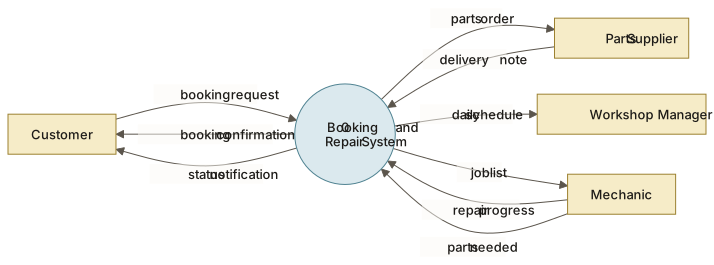
The model is hierarchical. The top level is the context diagram: the whole system as a single process, surrounded by the external entities it exchanges data with. Maglinets describes its purpose as fixing the boundary: where the system ends and its environment begins. Each process can then be expanded on its own lower-level diagram. When a process is small enough, you describe it with a short text mini-specification instead of another diagram.
When to use it#
Use a DFD when you need to:
- agree the scope of a system and the data it exchanges with the outside world;
- find interfaces to other systems early;
- spot duplicated or misused data elements, and data structures you can reuse;
- check a data model or a functional decomposition against how data actually moves.
The BABOK Guide places it in Maintain Requirements (finding similar data structures for reuse) and Specify and Model Requirements.
A DFD does not show the order of activities, timing, decisions or who does the work. For those, use process modelling or sequence diagrams. On large systems DFDs can grow hard for stakeholders to read, so keep each diagram small.
How to do it#
- Draw the context diagram. One process for the whole system; add every external entity and the flows in and out. Validate it with stakeholders before going deeper.
- Name things consistently. Processes get a verb and a noun (“Register booking”). Flows and stores get nouns (“booking request”, “Bookings”).
- Expand to level 1. Break the system into about five to nine processes, add the data stores, and connect everything with flows.
- Apply the connection rules. Data moves only through processes: never directly between two external entities, two stores, or a store and an external entity.
- Check each process. Every process needs at least one input and one output. A process with inputs but no outputs, or outputs with no inputs, signals a missing flow.
- Balance the levels. The flows entering and leaving a parent process must match those on its child diagram.
- Stop and write mini-specifications when a process can be described in a short paragraph or a decision table.
- Link flows to the data dictionary so each flow’s contents are defined.
Example#
The Workshop (a fictional chain of bike-repair workshops) wants online booking, status notifications and better parts ordering.
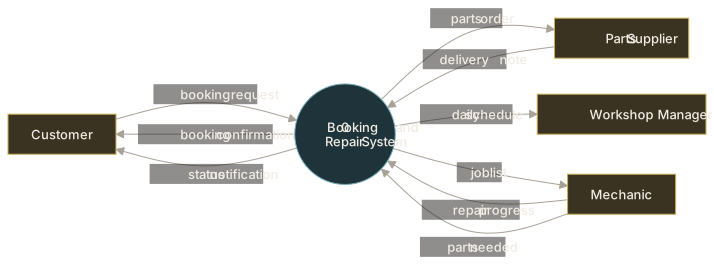
Context diagram:
- External entity
- The system as a single process (0)
View as text
Customer        --booking request-->        [0 Booking and Repair System]
[System]        --booking confirmation-->   Customer
[System]        --status notification-->    Customer
Mechanic        --repair progress-->        [System]
Mechanic        --parts needed-->           [System]
[System]        --job list-->               Mechanic
[System]        --parts order-->            Parts Supplier
Parts Supplier  --delivery note-->          [System]
[System]        --daily schedule-->         Workshop Manager
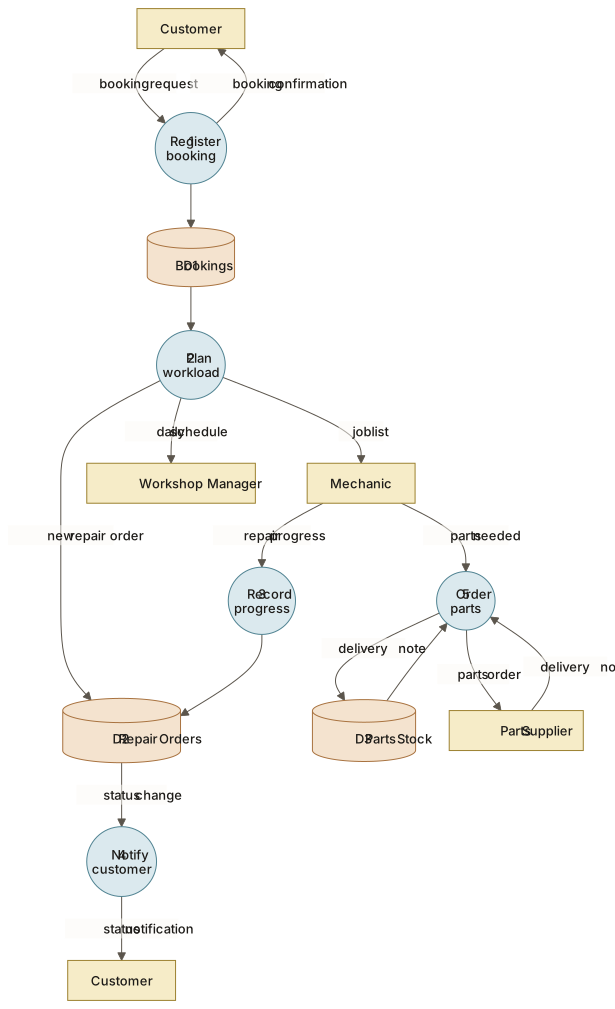
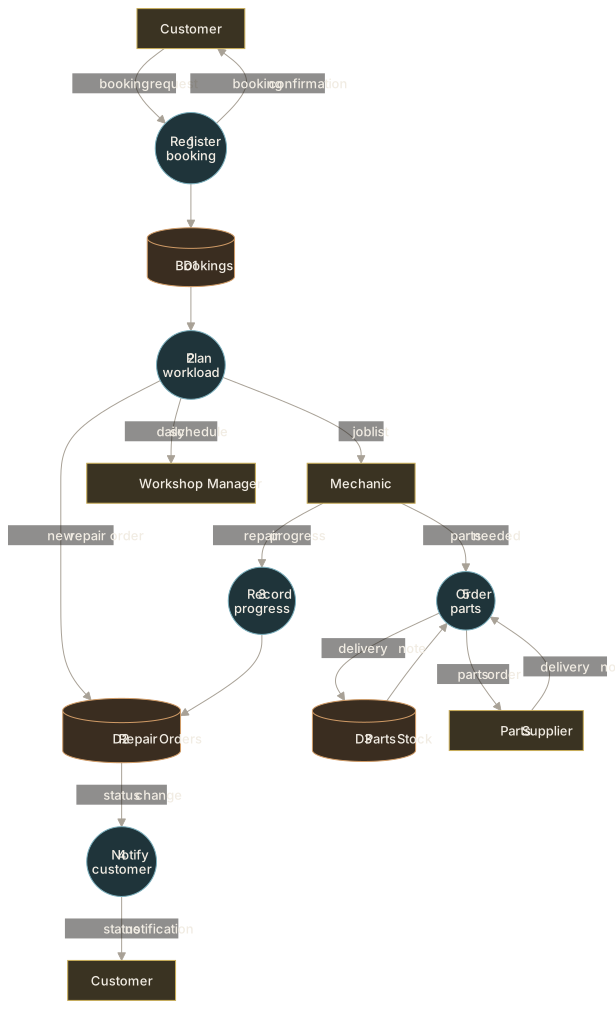
Level 1:
- External entity
- Process
- Data store
View as text
1 Register booking     : booking request -> D1 Bookings; booking confirmation -> Customer
2 Plan workload        : D1 Bookings -> job list -> Mechanic; daily schedule -> Workshop Manager;
                         new repair order -> D2 Repair Orders
3 Record progress      : repair progress (Mechanic) -> D2 Repair Orders
4 Notify customer      : status change from D2 Repair Orders -> status notification -> Customer
5 Order parts          : parts needed (Mechanic) + D3 Parts Stock -> parts order -> Parts Supplier;
                         delivery note -> D3 Parts Stock
Every flow on the context diagram reappears at level 1, so the levels balance. Drawing process 5 reveals a question nobody had asked: who confirms a parts order before it goes to the supplier? That becomes an item for the next workshop session.
Mini-specification for process 4 (fictional): “When a repair order’s status changes to Ready for collection, send one message through the customer’s chosen contact channel, including workshop address and opening hours.”
Common mistakes#
- Drawing a flowchart with decisions and loops → a DFD shows data movement only; put sequence in a process model.
- Flows straight between stores or entities → route them through a process that does something with the data.
- Unbalanced levels → check every child diagram against its parent’s inputs and outputs.
- Vague labels such as “data” or “info” → name the actual content and define it in the data dictionary.
- Too much on one diagram → expand into a lower level instead.
- Mixing notations → choose Yourdon or Gane–Sarson for the whole set.
Checklist#
- The context diagram is agreed with stakeholders.
- Every process has a verb–noun name and at least one input and one output.
- No flow connects two entities, two stores, or a store and an entity directly.
- Each level balances with its parent.
- Every flow and store is defined in the data dictionary.
- Lowest-level processes have mini-specifications.
Sources and further reading#
- IIBA. A Guide to the Business Analysis Body of Knowledge (BABOK® Guide), version 3. International Institute of Business Analysis, 2015, technique 10.13 “Data Flow Diagrams”.
- Watermark Learning. BABOK v3 Study Tables. 2016 (study aid for the BABOK Guide), technique 10.13.
- Yu. A. Maglinets. Analysis of Requirements for Information Systems, lecture notes (in Russian). Siberian Federal University, 2007, lecture 5 (notations, decomposition, mini-specifications, context diagram).